
Shoulder Length Hair for Salons and Beauty Teams: 2026 AI Preview Use Cases
An industry-use-case guide for using shoulder length hair previews in salon consultations, beauty campaigns, ecommerce journeys, studio workflows, and hairstyle platforms.
Why Shoulder Length Hair Matters in Beauty Consultations
Shoulder length hair is one of the most commercially important haircut categories because it sits between safe and transformational. A client may not be ready for a bob, but they may still want movement, polish, layers, and a visible change. For salons, beauty brands, ecommerce teams, and virtual try-on platforms, shoulder length hair is a high-intent decision point where visual confidence can directly affect conversion.
The business challenge is hesitation. Customers ask whether shoulder length hair will make their face look wider, whether the ends will flip, whether layered shoulder length hair will remove too much density, or whether a haircut shoulder length hair option will still tie back. Those questions slow down consultations and make online users abandon before booking, buying, or uploading another photo.
An industry-use-case approach treats shoulder length hair content as more than inspiration. It becomes a guided decision asset: explain the style, show who it suits, let users preview the result, then route them to a salon visit, product recommendation, campaign landing page, or developer workflow.
Salon Consultation Workflow: From Unclear Request to Visual Brief
In a salon, shoulder length hair requests are often vague. One client means collarbone length with long layers. Another means a blunt cut that sits exactly at the shoulder. A third wants a haircut shoulder length hair result that removes damage without feeling short. A visual workflow helps stylists clarify the brief before cutting.
A practical workflow is simple: ask the client to choose a current concern, select a target length, compare straight and layered shoulder length hair, preview color if needed, then save the preferred result as a consultation reference. This reduces back-and-forth and helps the stylist explain tradeoffs around density, face framing, bangs, and grow-out.
- Use shoulder length hair previews to clarify the exact landing point: shoulder, collarbone, or upper chest.
- Show layered shoulder length hair when the client wants movement without losing medium length.
- Compare blunt and soft ends so the client understands polish versus movement.
- Save the preview as a visual reference for the stylist and the front desk booking note.
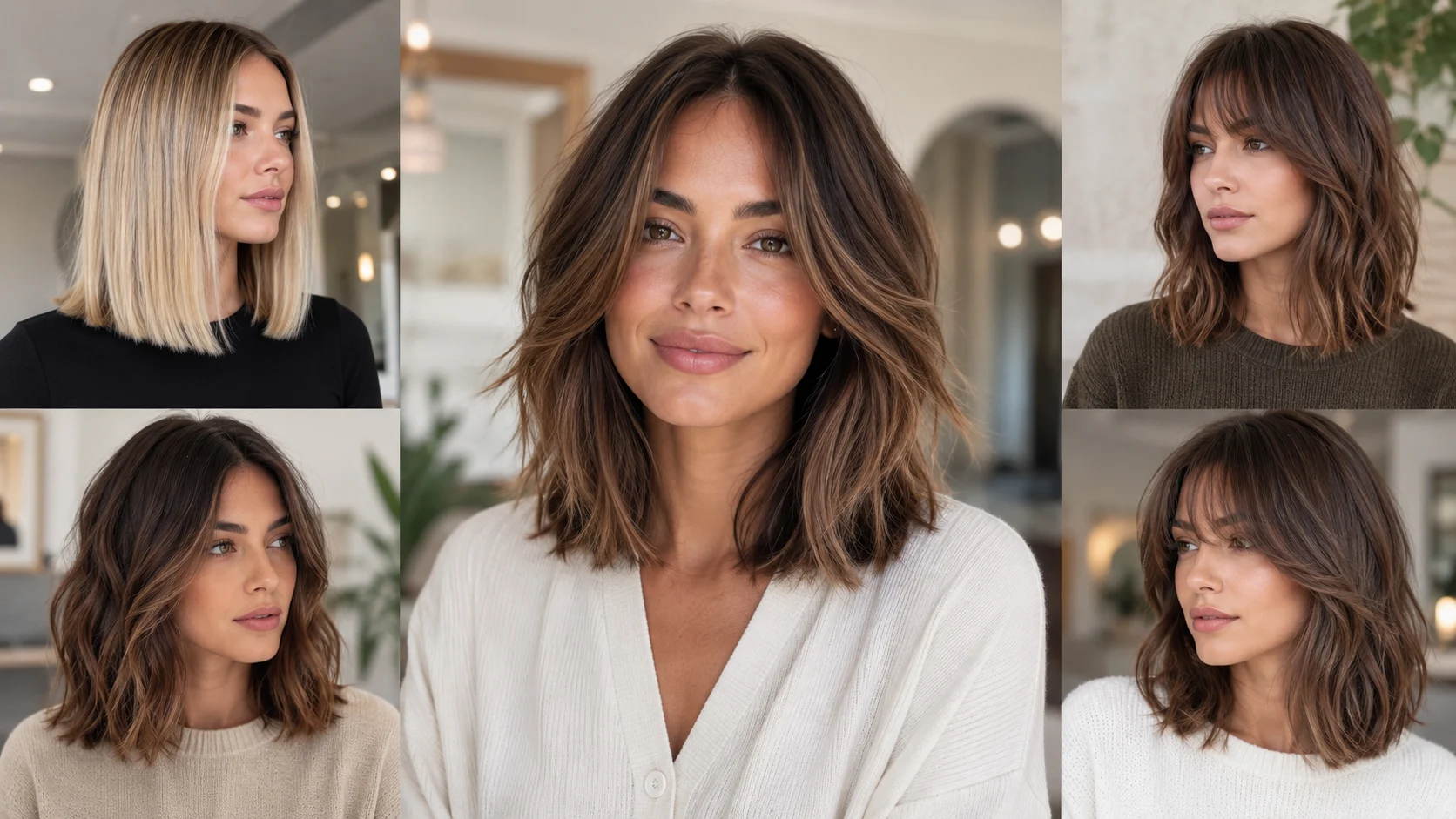
Industry Use Cases for Shoulder Length Hair Preview
For salons, the use case is consultation efficiency. A stylist can use shoulder length hair previews to reduce uncertainty before the chair. For beauty brands, the use case is engagement: medium-length hair works well in campaign content because it is relatable, flexible, and less intimidating than very short transformations. For ecommerce, the use case is product matching, such as recommending brushes, heat tools, styling creams, or color products based on the previewed length.
Photo studios and creator teams can use haircut shoulder length hair previews before producing portraits, model tests, or brand shoots. Virtual try-on platforms can use layered shoulder length hair as a core category because it covers a wide customer base: people growing out a bob, trimming long hair, or testing a new professional look.
- Salons: reduce consultation ambiguity and improve booking confidence.
- Beauty brands: create relatable medium-length campaign journeys.
- Ecommerce: connect previewed length with styling tools and care products.
- Photo studios: plan portrait styling before the shoot day.
- Virtual try-on platforms: offer a high-demand medium-length category for broad audiences.
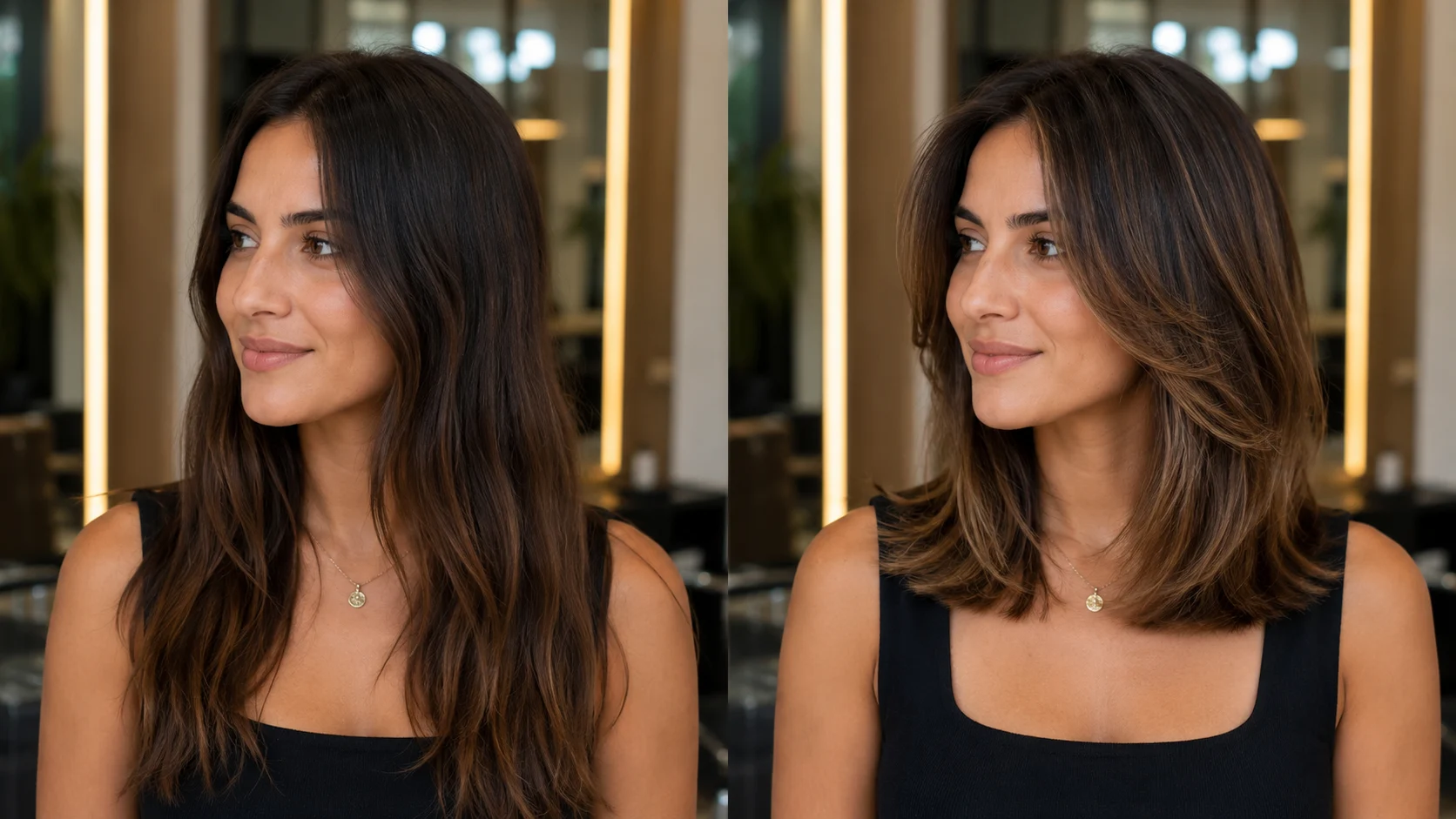
Customer Journey: Inspiration, Preview, Decision, Action
The customer journey usually starts with inspiration. A user searches shoulder length hair, saves a few photos, and wonders whether the same look will suit their face. The next step is comparison: blunt medium cut, soft layers, curtain bangs, waves, or layered shoulder length hair. Without a preview step, the journey often stops at doubt.
A stronger journey gives the user a sequence: learn what the length means, choose a variation, preview on their own photo, understand maintenance, and take the next action. That action may be booking a haircut, saving a salon brief, buying styling products, or trying the more advanced Premium hairstyle changer when reference-based control is needed.
For business teams, the goal is not just to show a hairstyle. The goal is to shorten the path from uncertainty to a confident next step.
Preview Options: Pro Tool, Premium Tool, and API Path
For most consumer-facing shoulder length hair pages, the Pro preview on this site is the right first step. It supports predefined hairstyles and hair color presets, which is enough for quick consultation, content engagement, and lightweight try-on flows. Use it when the business goal is to help users compare common medium-length options quickly.
The Premium hairstyle changer at https://www.ailabtools.com/hairstyle-changer is the better recommendation when a business needs reference-based hairstyles, original hair color preservation, or reference-based hair color. Those features matter for salon reference matching, campaign consistency, model styling, and more advanced customer journeys.
For SaaS teams, app developers, or platforms that need embedded workflows, the developer documentation at https://www.ailabtools.com/docs/ai-portrait/effects/hairstyle-editor-premium gives the integration path for the premium hairstyle editor. Use this path when shoulder length hair preview needs to live inside your own product experience rather than only as an external link.
Need Premium Reference-Based Preview?
Use the Premium hairstyle changer for reference hairstyle transfer, original color preservation, and reference-based hair color when predefined Pro options are not enough.
Try Premium Hairstyle Changer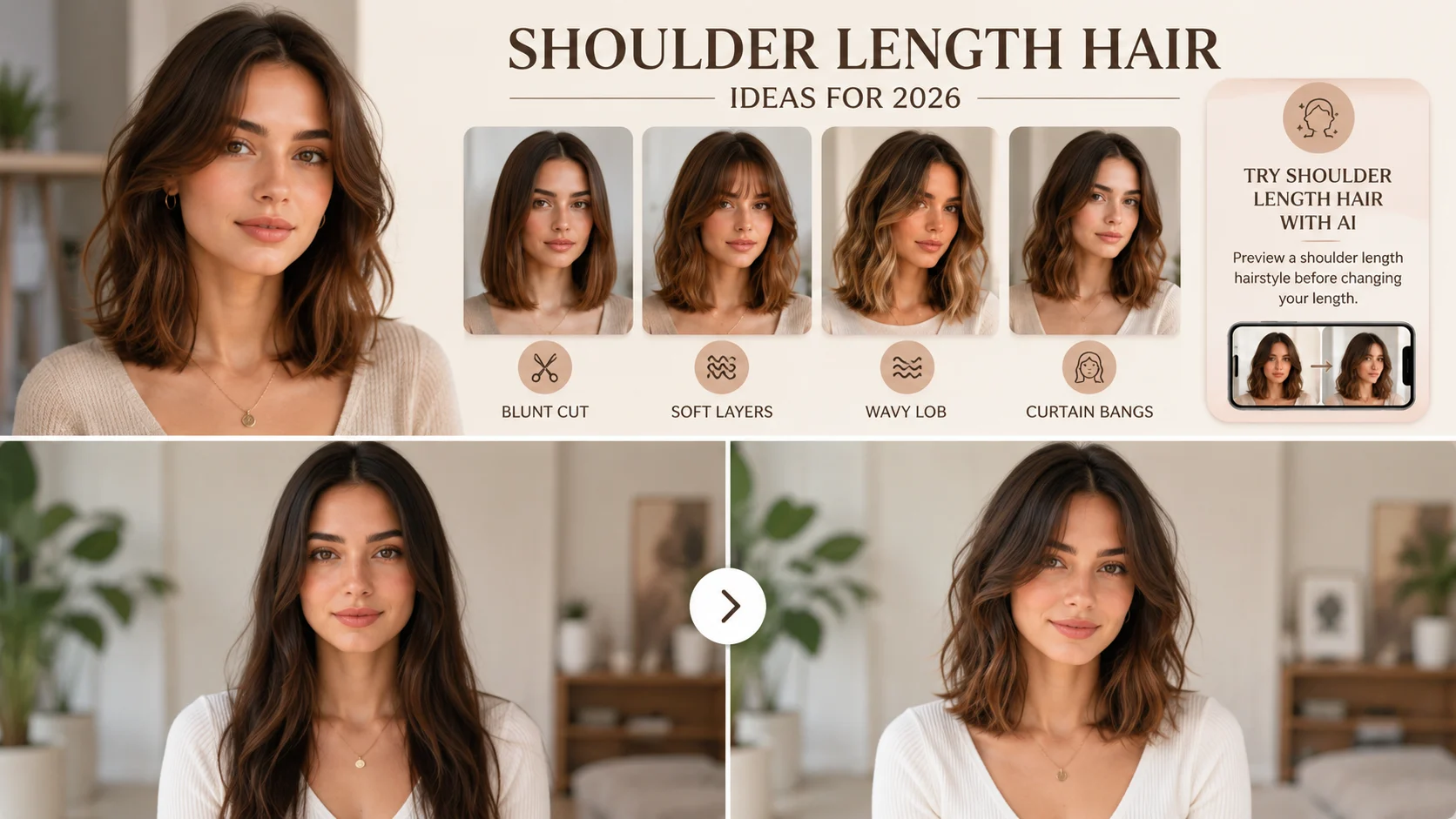
Operational Benefits for Teams
A structured shoulder length hair preview workflow can reduce consultation time, improve lead quality, and create clearer expectations before a customer reaches a stylist, checkout page, or support team. It also helps teams organize content around specific decisions instead of generic inspiration galleries.
For salons, this means fewer misunderstandings about length and layers. For ecommerce, it means better context for recommending styling products. For platforms, it means a repeatable category taxonomy: blunt shoulder cut, layered shoulder length hair, wavy medium cut, curtain bangs, and color variations.
- Reduce customer hesitation before booking or purchase.
- Improve visual briefs for stylists, creators, and support teams.
- Connect hairstyle intent with product recommendations.
- Create reusable categories for medium-length hairstyle content.
- Support both lightweight preview flows and advanced integration paths.
Implementation Checklist for an Industry Shoulder Length Hair Page
A useful industry page should do more than rank for shoulder length hair. It should guide a business user through the reason this length matters, the decision points customers care about, the preview flow, and the next action. The page should remain helpful even if the reader never clicks a tool link.
- Define the primary audience: salon, brand, ecommerce, studio, or platform.
- Explain the customer pain point around medium-length hesitation.
- Show variations such as blunt, wavy, and layered shoulder length hair.
- Add a Pro preview CTA for quick customer-facing try-on.
- Add a Premium recommendation for reference-based control.
- Add developer documentation when the audience may need embedded workflows.
This structure turns shoulder length hair from a simple style article into an industry-use-case asset that supports education, consultation, conversion, and integration.
FAQ
Why is shoulder length hair useful for salons and beauty teams?
It is a high-demand medium length that feels safer than very short hair but still creates visible change. That makes it ideal for consultation, preview, and product recommendation workflows.
How can AI preview help with haircut shoulder length hair consultations?
AI preview helps clients compare exact landing points, layers, face framing, and color before the stylist cuts, reducing uncertainty and miscommunication.
When should a business show layered shoulder length hair?
Show layered shoulder length hair when the customer wants movement, less bulk, or a softer medium-length style without losing too much length.
When should teams recommend the Premium hairstyle changer?
Recommend Premium when users need reference-based hairstyle transfer, original hair color preservation, or reference-based hair color beyond predefined Pro options.
Is there a developer path for embedding hairstyle preview?
Yes. Teams can review the developer documentation at https://www.ailabtools.com/docs/ai-portrait/effects/hairstyle-editor-premium for the premium hairstyle editor integration path.
Related Hairstyles
Hair Trends Bob 2026: Best Bob Haircut Ideas Before Your Salon Visit
A personal recommendation guide for choosing a 2026 bob: compare length, face shape, hair texture, styling effort, and AI preview options before you ask your stylist to cut.
What Would I Look Like with a Buzz Cut? 2026 Trend Guide and AI Preview
If you keep asking what would I look like with a buzz cut, this guide explains the trend, the best buzz cut fade options, buzz cut men style choices, face-shape signals, and how to preview the haircut before you commit.